The Paper Trail Restaurants Forgot: Saving Menus, Receipts, and Warranties Before They Vanish
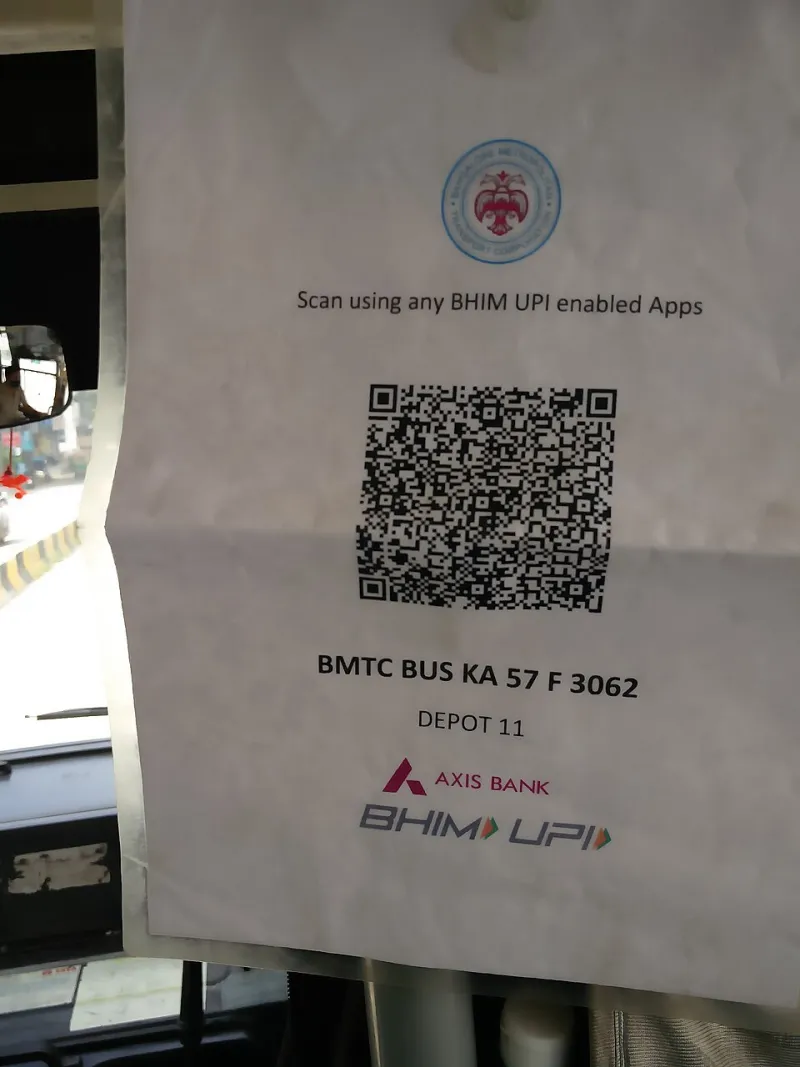
Photo: Mallikarjunasj, CC0, via Wikimedia Commons
Somewhere along the way, companies decided that going digital meant their job was done. The menu is online. The receipt is in an email. The warranty is 'registered.' Case closed, right?
Except you know how this actually plays out. You're seated at a diner outside Nashville, the QR code loads a 40-page PDF over a cell signal that barely exists, and the kitchen wants your order in ninety seconds. Or you're trying to return a blender to Target and the receipt link in your email died three months ago. Or your fridge dies a week after the warranty expires — a warranty you never registered because the card went into the junk drawer abyss.
These are the gaps between the physical and digital worlds, and every single one of them got handed to you to solve. So let's solve them. This is digital housekeeping, and it takes about 20 minutes.
Save the Menu Before You're Standing in Line
A QR code menu is just a webpage, and webpages can be captured. You've got three options, from fastest to most thorough:
Screenshot the whole thing. Crude but bulletproof. On iPhone, take your screenshots, open Photos, and use the 'Save to Files' or share-to-Notes option so they're in one place. On Android, many phones have a 'scrolling screenshot' or 'capture more' button that grabs the entire page in one shot — use it.
Save the page as a PDF. On iPhone, tap Share, then scroll down to 'Print,' pinch out on the print preview (yes, really), and you'll get a shareable PDF. On Android Chrome, tap the three-dot menu and choose 'Share' or 'Print,' then 'Save as PDF.' Now you've got a menu that works in airplane mode.
Save it to your home screen. If it's a spot you hit regularly — your local taco joint, the airport cafe you use every work trip — open the menu in your browser, tap Share, and choose 'Add to Home Screen.' It becomes a one-tap icon that doesn't depend on hunting down that little table tent again.
Pro move: create a folder in your phone's Files app called 'Menus' and drop everything in there. Future you, standing in a dead-zone parking lot, will be grateful.
Receipts That Live on the Web Need a Backup Plan
A return window is short. A webpage receipt's lifespan is whatever the retailer feels like. Don't leave those things on equal footing.
When you buy anything you might return — appliances, electronics, clothes in a 'maybe' size — do this within a day:
- Screenshot the receipt page, not just the confirmation email. The email often shows the order; the receipt page shows the itemized breakdown stores actually want to see.
- Save the PDF version if the retailer offers one (most do — look for 'Download receipt' or 'Invoice').
- Forward the confirmation email to a dedicated folder or label. In Gmail, create a label called 'Receipts' and a filter that auto-labels anything with the word 'receipt' or 'order confirmation' in the subject line.
For in-store purchases, skip the email receipt confusion entirely and photograph the paper receipt on the spot. Apps like your phone's built-in scanner (the Notes app on iPhone has one, Google Drive does too) will clean it up nicely.
The key insight: an email receipt is a promise from a company. A screenshot in your own files is a fact. Choose facts.
The Warranty Card Problem Nobody Mentions
Here's a fun stat to ruin your day: a huge chunk of product warranties are only valid if you register the product, and most people never do. That little card that came in the box with your TV, your coffee maker, your kid's bike — it's not a suggestion, it's a deadline.
When you unbox anything over about $50, spend two minutes:
- Register online immediately. Most brands have a registration page; the card in the box has a URL. Do it before the box hits the recycling bin.
- Photograph the model and serial number. These live on a sticker somewhere inconvenient, and you'll need them for any warranty claim. A photo in a 'Warranties' album beats crawling behind the washer with a flashlight.
- Photograph the receipt and the warranty terms. One album per big purchase, or one running 'Warranties' album. Add the purchase date in the photo description if your phone allows it.
That's it. Ninety seconds per purchase, and when the dishwasher quits at month 14, you're the person with documentation instead of the person arguing with a call center in a different time zone.
Make It a Habit, Not a Project
The reason these gaps stay open is that nobody schedules the fix. So attach it to things you already do:
- At the restaurant: Save the menu while you wait for drinks.
- After any online purchase: Two-minute receipt ritual.
- Unboxing anything new: Register, photograph, done.
- First Sunday of the month: Five-minute sweep — check that your receipt label is catching things, clear out menu screenshots you no longer need.
None of this requires an app subscription, a cloud plan, or a new gadget. It's just your phone, your Files app, and the stubborn realization that when a company says 'it's all online,' what they mean is it's online until it isn't.
The physical-to-digital handoff is where things fall through the cracks. Now you've got a net.